No phone number. No account.
Your identity is created on your device, with a twelve-word recovery phrase that only you hold. Nobody needs your number to reach you, and there is no sign-up.
Private messages that go from your device to your friend's, sealed so only they can read them. Your history stays on your device — no server keeps a copy.
One-to-one chats. Messages and files arrive while EchoIt is open on both devices.
Try it — how a message travels
A simulation in your browser — nothing you type here leaves this page.
A messenger for people who would rather their conversations weren't sitting on someone else's server.
Your identity is created on your device, with a twelve-word recovery phrase that only you hold. Nobody needs your number to reach you, and there is no sign-up.
The same EchoIt on your computer and your phone. A PC and a phone chat like any other pair — messages, photos, files, reactions, replies and read receipts — tested both ways on real devices.
Every message is sealed on your device and opened only on theirs. The helper that introduces your devices can't read a word, and neither can we.
Chats are kept on your device, with the words encrypted. No server keeps a copy. Who you talked to and when is not encrypted on the device, so keep a lock screen on.
Send a full-length film if you like. It goes from your device to theirs with no size limit, and on Windows nothing is copied first. Keep EchoIt open until they have it.
People add you with a ticket you share. They can't message you until you accept, and blocking or removing someone happens on your device only.
Real screenshots of EchoIt 0.7 — the same app on a computer and a phone.
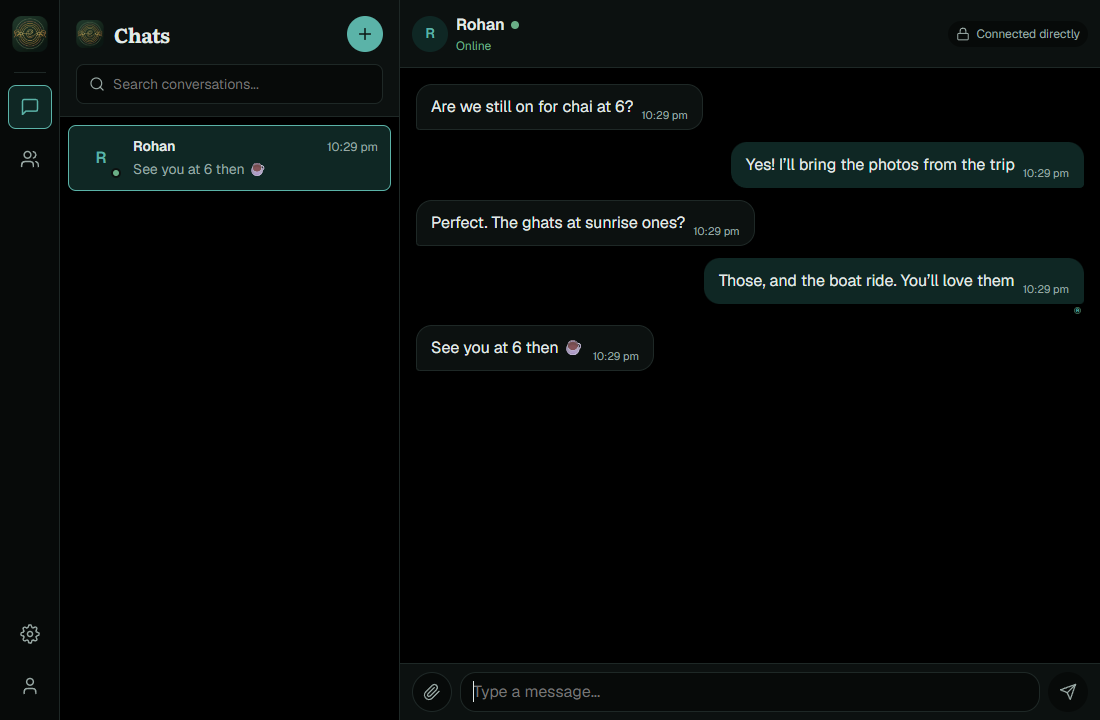
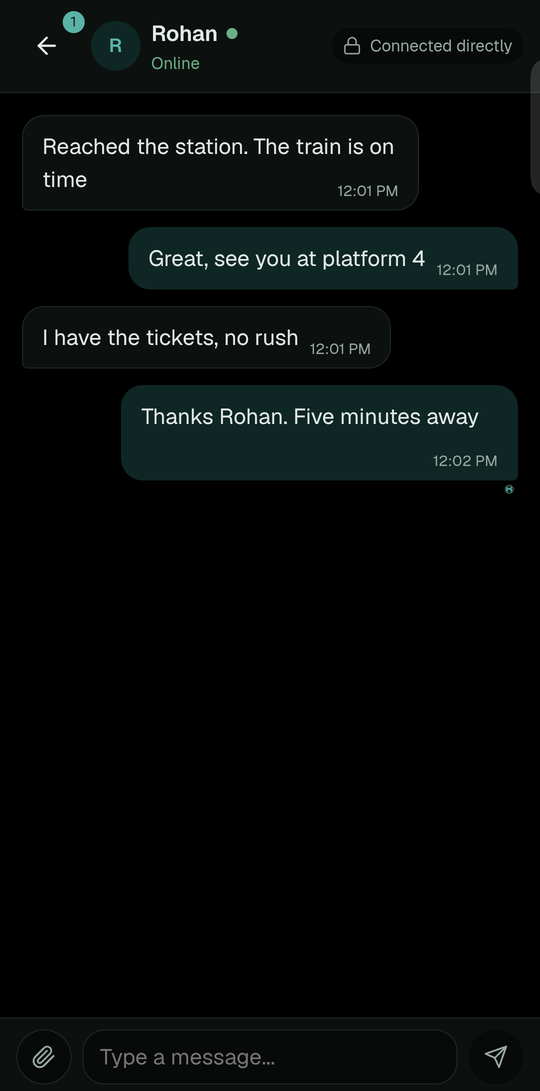
No sign-up. These are the screens you will see.
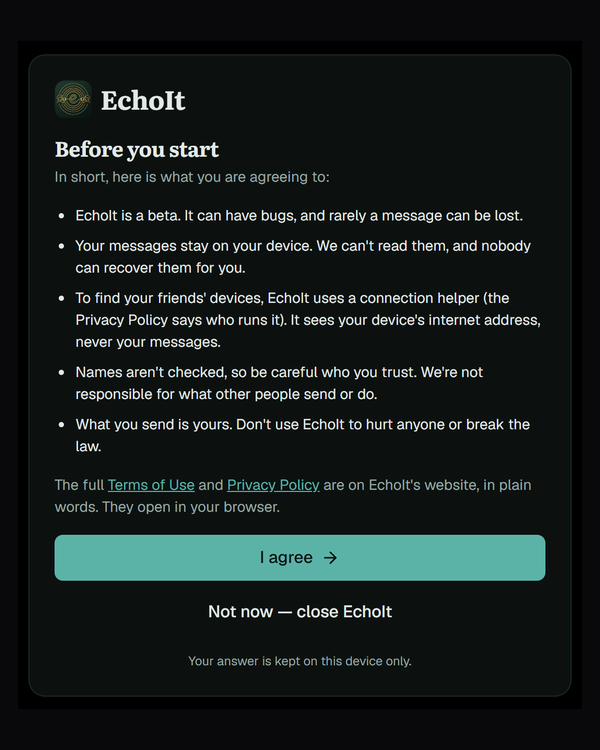
1
Read the short version of the terms, or the full ones, and agree.
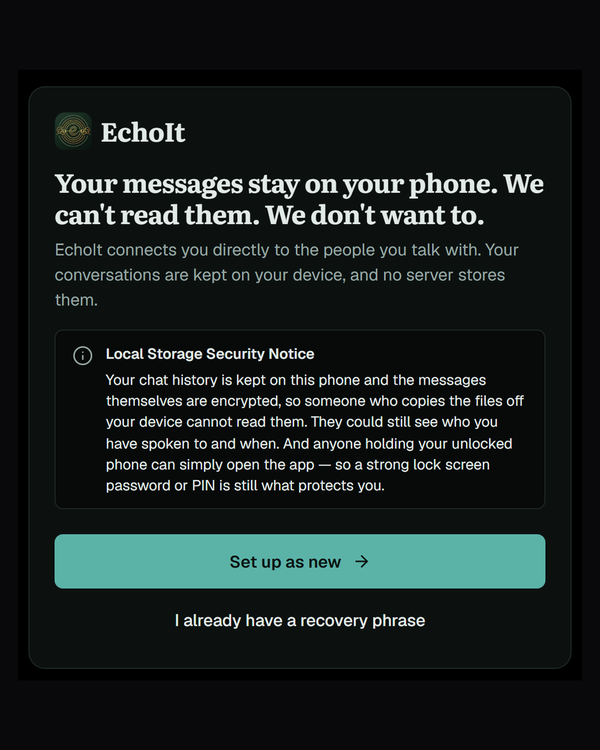
2
They are your identity. Keep them on paper, somewhere safe — they are the only way back in on a new device.

3
Pick a name, then send your connection ticket to a friend however you like.

4
When they add it, you see their request with their name. Accept, and you are connected.
Underneath EchoIt is Dicsussion, a messaging engine made by the same developer and published openly, so anyone can check how the important parts work. You never see it — it's what happens when you tap Send.
1
Dicsussion turns your twelve-word recovery phrase into the keys that prove who you are. They are kept on your device and never sent anywhere.
2
It is locked on your device so that only your friend's device can open it, and checked when it arrives, so a changed message would not be accepted.
3
A connection helper introduces your device to your friend's. Usually the messages then go straight between the two. When they can't, the helper passes them along — still sealed, so it can't read them.
4
Each device keeps its own history. A message waits on your device until your friend's is reachable, then arrives — there is no server in between holding it.
Open for anyone to read. Dicsussion's code is public under the Apache 2.0 licence, on GitHub, and it lists its own known limits there. It has not had an independent security audit yet; when it has, we will say so here. The EchoIt app itself is not open source.
Yes. There are no ads and nothing to pay. It is a beta, so expect the odd bug — and tell us when you find one.
Messages arrive while EchoIt is in use on your phone; otherwise the next time both phones are. Until then your message waits on your device, marked as not yet delivered. There is no server holding it in between.
No. Every message is sealed on your device and opened only on your friend's. We have no copy, and neither does the connection helper.
Your twelve-word recovery phrase brings back who you are on a new device. Your message history does not come back: there is no copy anywhere else. Keep the words safe.
Number 0, the company behind the networking software EchoIt uses — until mid-November 2026 it is our own. It sees your device's internet address and when it is online, never what you write. The Privacy Policy has the details, and you can use your own helper in Settings.
Yes, for now. The Windows installer is not yet signed with a paid certificate, so Windows may say it "protected your PC". Choose More info and then Run anyway. Only download EchoIt from this website or its release page.
EchoIt is not on the Play Store yet, so Android asks before installing an app from a website. The app is signed, so later updates install over the top and keep your messages.
Not yet — EchoIt is one-to-one for now.
Its engine, Dicsussion, is: anyone can read it on GitHub. The EchoIt app itself is not.
Message me on Telegram (@quazarLover) or Discord, follow @echo.1t on Instagram, or email wforsarthi@gmail.com.
EchoIt is a beta, and the people using it now decide what it becomes. If something breaks, confuses you, or you wish it did something it doesn't, message me — every report is read. You can also report a problem on GitHub.
If a message or file didn't arrive, say whether both apps were open at the time — that one detail helps most.
EchoIt is built by one person. Questions, ideas, something that broke — message me directly. I read everything.
Prefer email? wforsarthi@gmail.com. Messages on Telegram, Discord or Instagram go through those services, under their own privacy policies.